THE QUICK ANSWER
On many programmable Honeywell Home thermostats, recovery means heating or cooling starts early so the home can reach the next scheduled temperature on time. It is normally a scheduling feature, not an error.
What does recovery mean on a Honeywell thermostat?
On many programmable Honeywell Home thermostats, recovery means the thermostat has started heating or cooling early to reach the next scheduled temperature on time. It is generally a normal scheduling feature, not an error message. Honeywell Home also calls it Adaptive Intelligent Recovery, Smart Response or Early Start on different products.
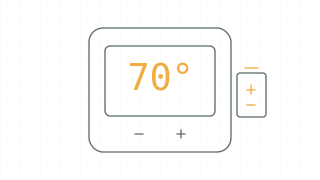
For example, if the schedule asks for 70°F at 7:00 a.m., a thermostat may start the heat before 7:00 instead of waiting until then. The start time is adjusted as the thermostat learns how long the home takes to change temperature. The exact display and available controls depend on the model.
Why does it say “following schedule in recovery”?
The thermostat can be following its normal schedule while working toward the next scheduled setting. Compare the current time, the next scheduled period, its target temperature and the room temperature. If a change is approaching, an early start can explain the message.
Recovery describes the thermostat's scheduling action; it does not tell you whether the furnace, air conditioner or heat pump is working correctly. A home that never approaches its target, unusual noises or a separate fault message deserves a separate investigation.
| Observation | Sensible next step |
|---|---|
| Recovery appears before a scheduled temperature change | Check the next scheduled period and target. |
| The system starts earlier than expected | Check whether adaptive recovery is enabled and whether the thermostat clock is correct. |
| The temperature is not moving toward the target | Check the selected heat/cool mode and schedule; contact an HVAC professional if the problem persists. |
| The display is blank or reports low batteries | Check the model’s power and battery guidance separately. |
If the display reports a low battery, our Honeywell thermostat battery guide explains why the battery arrangement must be matched to the model. Recovery itself is not a low-battery diagnosis.
Can you turn recovery mode off?
Some models let you disable the adaptive feature; others place it in a different menu or installer settings. Turning it off can mean the system begins changing temperature at the scheduled time, so the room may reach the target later. Check the product instructions before changing settings.
For Honeywell Home’s documented Lyric app example, select the thermostat, open the gear icon, choose Advanced, and switch Adaptive Recovery off. App names and screens can change; these steps are an example for that product, not a universal sequence for every Honeywell thermostat. If an option belongs to installer setup, avoid changing unrelated equipment configuration and ask your installer for help.
Is recovery the same as emergency heat?
No. Recovery is a scheduling feature in the examples above. Emergency heat is a separate heat-pump operating mode on systems that support it. Seeing recovery does not by itself mean emergency heat has been selected.
What if recovery seems to last all day?
Compare the schedule, displayed room temperature and target over time. Check that the time and heat/cool selection make sense, and look for a hold or another message that changes what you expect the schedule to do. A large temperature change or a system struggling to reach the target can make the symptom more noticeable, but the message alone cannot identify the cause. If the home remains uncomfortable or the equipment behaves abnormally, contact a qualified HVAC technician rather than changing wiring or installer settings.
The useful takeaway
Compare the schedule and target first. Recovery is generally an early-start feature; an uncomfortable home or separate fault needs its own diagnosis.
Sources & scope
Manufacturer documentation and official guidance, checked 2 Nov 2026. This is a researched explanation, not a hands-on test or a manufacturer service bulletin. Match instructions to your exact model.
- Honeywell Home: thermostat starting before scheduled time
Explains recovery and early-start behaviour.
- Honeywell Home: Lyric adaptive recovery
Documented Lyric app example for disabling the feature.